Admin ADMIN
2026.10.02
 AdminBug reports 23Suggestions 4Exploits 0
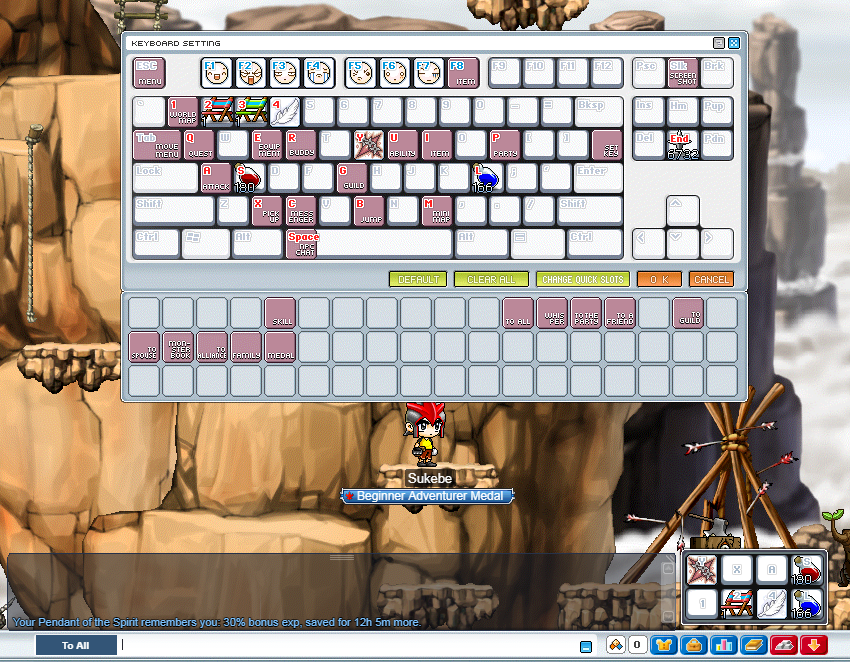
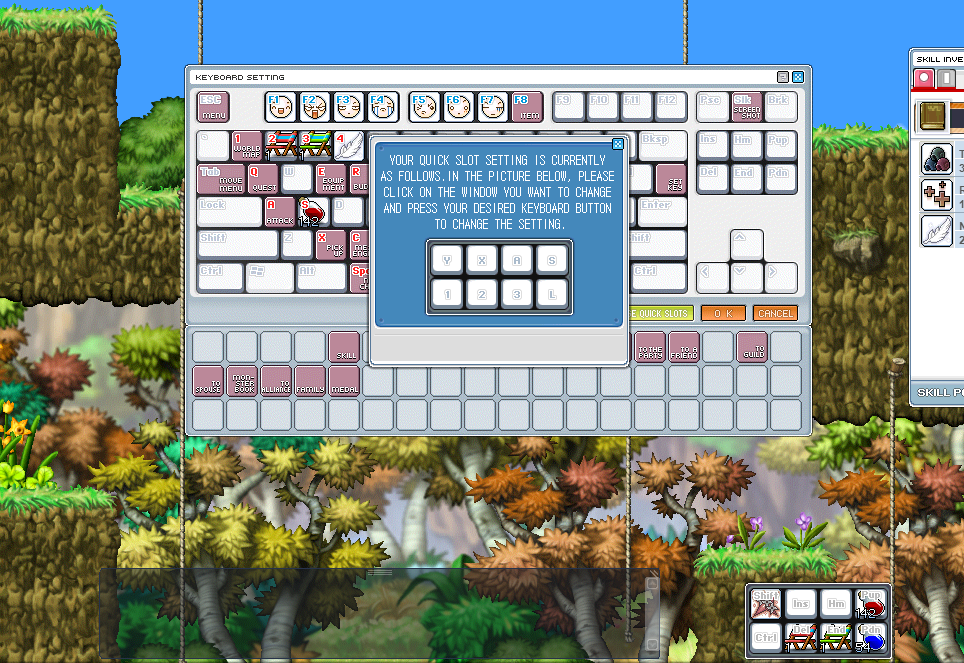
Thanks, and good catch. The quick slot window on the bottom right always drew its original labels (Shift, Ins, Hm, PgUp, Ctrl, Del, End, PgDn) no matter which keys you set in CHANGE QUICK SLOTS, so your new keys worked but the labels never changed.
Fixed and LIVE now: each quick slot is labelled with the key it actually uses, in the same key lettering the Change Quick Slots window shows. Slots left on their default keys keep the original labels. The labels update as soon as you change a key, and they come back the same after you log in again.
To re-test: hard refresh (Ctrl+F5), log in, and the bottom right should read Y X A S / 1 2 3 L. Change one slot to another key and its label should change straight away. Leaving this as in progress until you confirm it.
Fixed and LIVE now: each quick slot is labelled with the key it actually uses, in the same key lettering the Change Quick Slots window shows. Slots left on their default keys keep the original labels. The labels update as soon as you change a key, and they come back the same after you log in again.
To re-test: hard refresh (Ctrl+F5), log in, and the bottom right should read Y X A S / 1 2 3 L. Change one slot to another key and its label should change straight away. Leaving this as in progress until you confirm it.