
HOMEFORUMSUPPORTDISCORD
★ TEST
✦ Welcome to the MapleVerse Test Portal! ✦  Found a bug? Report it here — paste a screenshot right from your clipboard! ✦  8 issues being tracked — thank you, testers! ✦✦ Welcome to the MapleVerse Test Portal! ✦  Found a bug? Report it here — paste a screenshot right from your clipboard! ✦  8 issues being tracked — thank you, testers! ✦
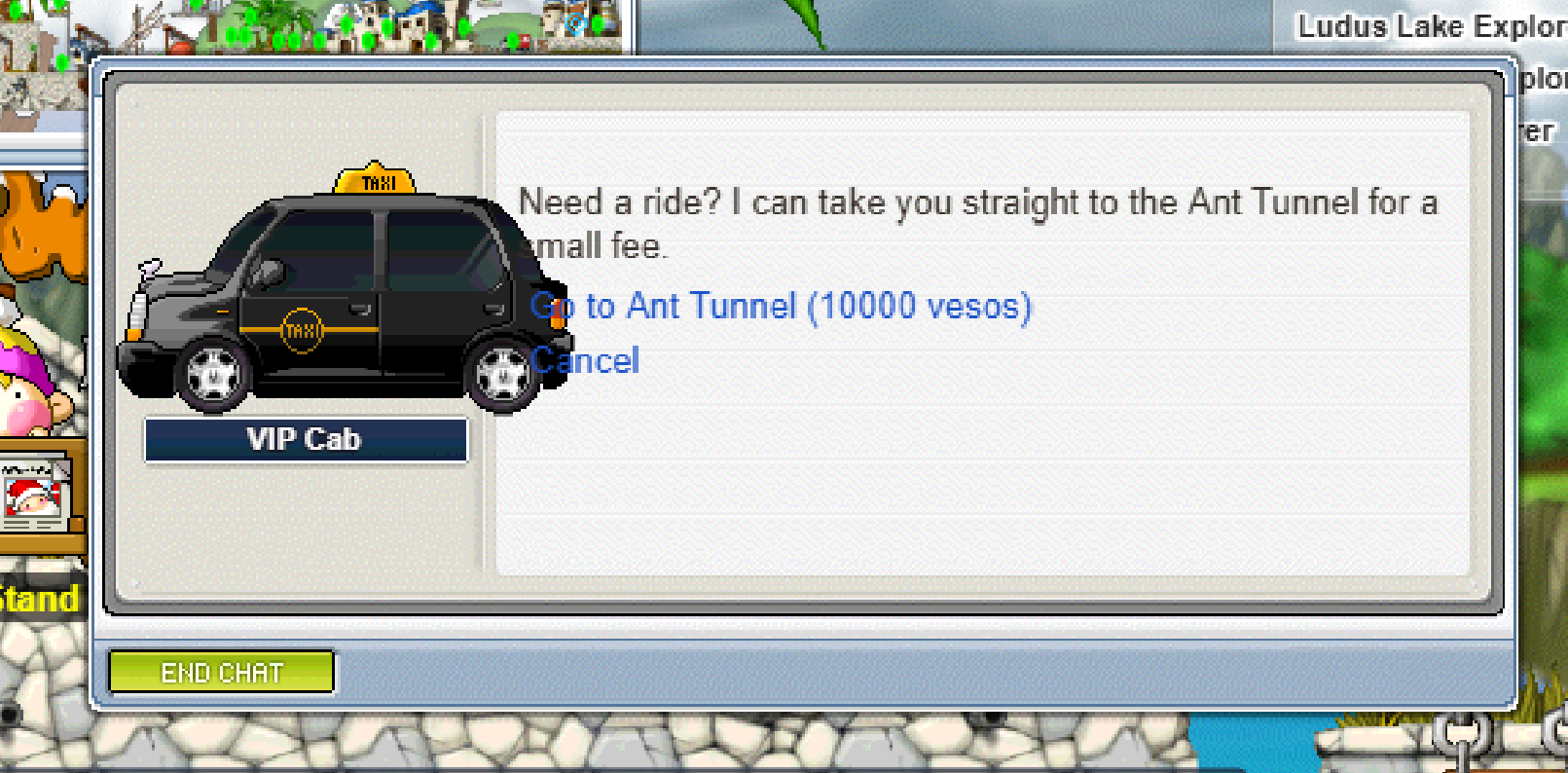
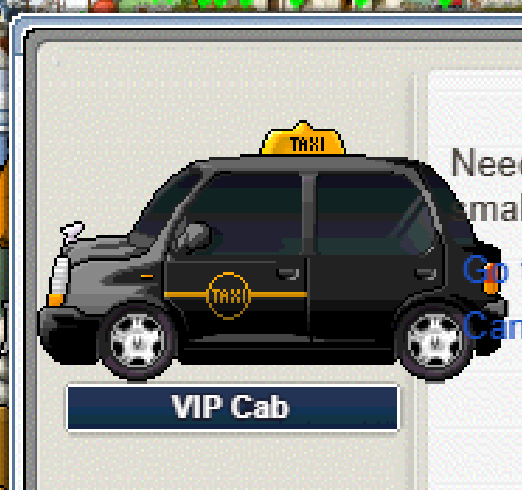
#333 VIP cab sprite extends accross the text of the dialog window FIXED
LOW UI & Windows 🍄reported by Drew · 2026.09.21 · updated 2026.09.24
the vip cab sprite (i tested the one at lith harbor) extends into the the dialog box where the text is. and the options on the dialog windows text
screenshot 1screenshot 2
🍅 ME TOO · 0 Sign in to confirm this bug.
COMMENTS 4 replies
Admin ADMIN 2026.09.22

Same as the news stand: the VIP Cab is a large object and the dialog draws the NPC at its true v83 size with no scaling, so it overflows the portrait area exactly as the original client does. I can add a house-rule clip for oversized portraits if you want that look.
Admin ADMIN 2026.09.22
on this one, it should overflow to the left of the window, and not into the dialog part of the window, so not as to cover any text
Admin ADMIN 2026.09.24
Thanks Drew. The fix is decided and being made now: any NPC picture too wide for its spot will stick out past the left edge of the dialog box instead of into the text, so it never covers the words or your answer choices. The News Stand gets the same treatment. We'll post here when it's live.
Admin ADMIN 2026.09.24
This is fixed and live now. NPC pictures that are too wide for their spot now line up with the right edge and stick out past the left side of the dialog box, so they never cover the text or your answer choices. The VIP Cab and the News Stand both use this now. Refresh the game once to get the update, and reply here if you spot another NPC picture covering text.

Sign in with MSU to comment.